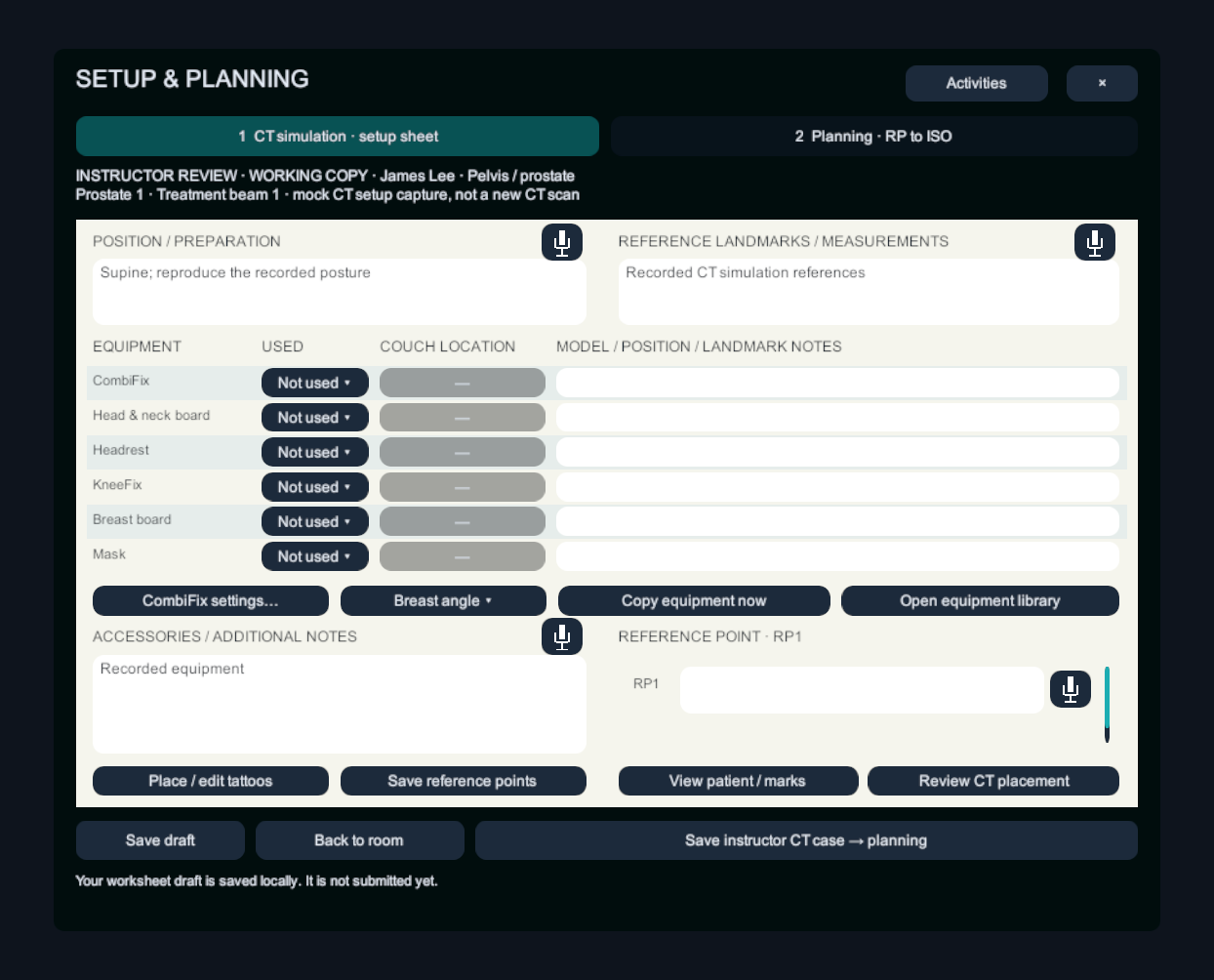
Create a repeatable
starting point.
Associate a teaching dataset, choose equipment, document reference marks and save a setup for review or reuse.
 RadiotherapyEducation
Learning portal ↗
RadiotherapyEducation
Learning portal ↗
NEW MODULE CETSOL RT SIMULATOR
Bring the radiotherapy journey into your classroom. Rehearse the conversation, build the setup, match the image and explore treatment—all in one virtual LINAC environment.
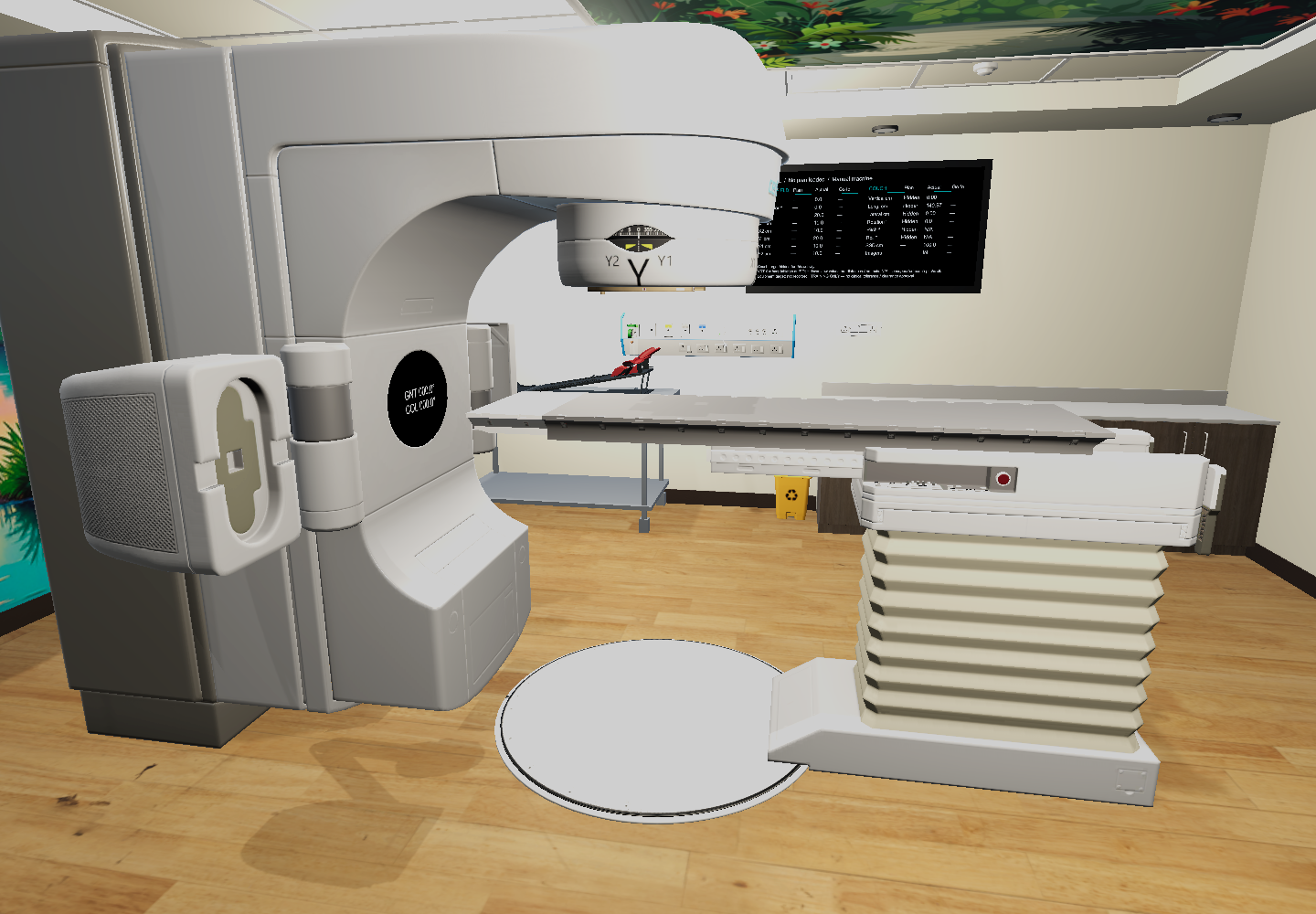
Actual simulator capture · training preview
Good preparation connects people, equipment and information. CETSOL brings those pieces together so learners can practise the sequence, see the consequences of their choices and try again.
02 / FOLLOW THE LEARNER JOURNEY
Short clips from the desktop app.
Choose a feature and press play.
DESKTOP APP · Patient communication · 8 seconds
PATIENT-CENTRED PRACTICE
Practise greetings, identity checks, preparation, comfort and positioning. Shared language support uses each selected patient’s own case facts and concerns.
Authored case-based conversation—not unlimited AI understanding.
Explore the learning portal ↗MAKE THE MOVE. SEE IT IN THE IMAGE.
Acquire simulated kV or CBCT images with an imperfect setup. Compare against the planning reference, work through the mismatch and inspect the remaining error.
Source CT is used as a rigid imaging approximation. Posture and equipment differences are recorded separately; the simulator does not calculate clinical dose.
03 / DESIGNED AROUND YOUR TEACHING
Guide a demonstration, let learners practise,
then review what happened.
Associate a teaching dataset, choose equipment, document reference marks and save a setup for review or reuse.
Separate practice, assessment and demonstration. Review local attempts and keep student submissions distinct from instructor-authored cases.
Access your existing Radiotherapy Education courses and learning resources through the course portal.
We’re developing shared learning sessions that connect Quest and desktop users—whether they’re in the same room or joining remotely.
On the roadmap: instructor-led collaboration, connected accounts and learning records that travel between devices.
Discuss a pilot ↗Cross-device shared sessions are planned, not released. Quest mixed-reality validation is ongoing. Account-linked simulator learning records remain in development.INSIDE THE VR EXPERIENCE
VR headset capture · 38-second feature highlight
Actual first-person headset recording. Watch reference markers being placed in close-up, review the DVH and dose–volume metrics, explore the planning CT and compare images. See imported dose over CT slices on the treatment couch. Edited at original speed with selected close-ups and feature labels; silent playback.
04 / WATCH THE SIMULATOR
Actual desktop and VR headset footage, in separate videos.
Watch the desktop tour and explore the individual features.
A FEW USEFUL DETAILS
The simulator currently supports case-based patient communication, setup and reference marks, mock CT simulation, image matching, teaching-plan review and simulated treatment workflows. The desktop footage shows the current training build. Contact us to discuss access or a teaching pilot.
Not yet. Shared multi-user rooms and cross-device account synchronisation are on the roadmap. Quest rendering and interaction are being tested; this page does not represent completed headset or multiplayer validation.
Yes. The screenshots on this page are captured from the training simulator. The desktop feature clips and desktop tour use an actual simulator screen recording. The separate VR highlight is an actual first-person headset capture of the software in use, edited to show marker placement, couch setup and dose visualisation. It does not show a live multiplayer session.
No. Residual matching error and practice scores are learning feedback. They are not validated clinical competency measures. Educator interpretation and institution-approved assessment remain essential.
Yes. Your existing Radiotherapy Education course account and portal remain available. Automatic simulator uploads and shared Quest/desktop learning records are planned features and are not connected to those accounts yet.
THE NEXT CHAPTER OF RADIOTHERAPY EDUCATION